
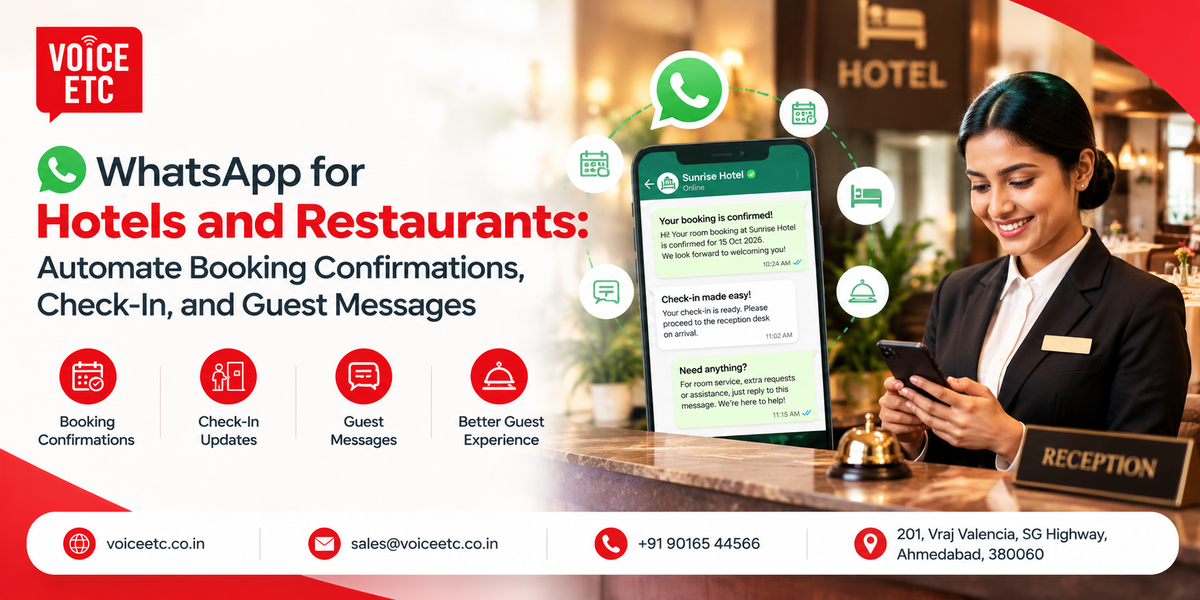
WhatsApp for Hotels and Restaurants: Automate Booking Confirmations, Check-In, and Guest Messages
Voice ETC sets up WhatsApp for hotels and restaurants so that every booking confirmation, check-in instruction, reservation reminder, and guest reply reaches your guests on the app they already check first. Messages can be sent automatically when a booking is made, and your front desk can answer follow-up questions through a shared inbox instead of relying on staff members' personal phones.
In practice, WhatsApp for hotels means fewer calls asking for directions, fewer guests who forget their bookings, and a written record of guest conversations. If you run a hotel, resort, safari lodge, desert camp, or restaurant and want to automate guest communication, call Voice ETC on +91 90165 44566 or email sales@voiceetc.co.in. Voice ETC has worked in Indian business telephony since 2009 and helps businesses configure the official WhatsApp Business API, prepare message templates, and connect messaging to their booking workflows.
Set Up WhatsApp Business for Hotels and Restaurants With Voice ETC
Voice ETC provides the WhatsApp Business API for hotels, resorts, lodges, and restaurants across India. Our team helps with business verification, template approval, and initial testing.
Here is what a hotel or restaurant can set up:
- A WhatsApp business profile with your property name, address, location pin, and timings.
- Message templates for booking confirmations, pre-arrival details, check-in instructions, reminders, and checkout.
- Automated messages triggered by your booking engine, property management system, or reservation software through an API or webhook.
- A shared team inbox for reception, reservations, and restaurant staff.
- Quick replies for common guest questions about check-in, parking, Wi-Fi, menus, and location.
- Message delivery and read reports, depending on the configuration.
- Support from a team you can contact directly.
We usually suggest starting with three or four automated messages and adding more once your staff are comfortable with the inbox.
Which Guest Messages Can a Hotel or Restaurant Automate on WhatsApp?
Almost every message a guest needs after booking can be automated. The table below lists common messages, when they are sent, and their usual Meta template category. Actual classification depends on Meta's current policies and the content of each approved template.
| Message | When It Goes Out | Meta Category |
|---|---|---|
| Booking confirmation | After the booking is saved | Utility |
| Advance payment receipt | When payment is recorded | Utility |
| Pre-arrival details | One or two days before check-in | Utility |
| Check-in instructions | On the morning of arrival | Utility |
| Pickup and driver details | When transport is assigned | Utility |
| Checkout and invoice | At checkout | Utility |
| Table reservation confirmation | When a table is booked | Utility |
| Reservation reminder | A few hours before the reservation | Utility |
| Order confirmation and dispatch update | When an order is placed and dispatched | Utility |
| Feedback request | After checkout or a meal | Depends on message content |
Meta's message classification and charges depend on its current policies and the approved template. Guests who cannot use WhatsApp may receive the same confirmation through transactional SMS, subject to the relevant setup.

How Hotels Use WhatsApp From Booking to Checkout
A guest's questions arrive in a predictable order: Did the booking go through? How do I get there? When can I check in? Can I get a late checkout? WhatsApp can answer these questions at the right moment, before the guest needs to call.
Booking Confirmation the Moment a Room Is Booked
A guest who books on your website, over the phone, or through a travel agent can receive a WhatsApp confirmation. It can include the booking ID, dates, room type, amount paid, balance due, and cancellation terms. The guest has one chat thread to return to, and your reservations desk receives fewer calls asking whether a booking is confirmed.
Pre-Arrival Message With Directions, Timings and Pickup
One or two days before check-in, the guest can receive a location pin, check-in time, nearby railway station or airport details, pickup options, and information about what to carry. A heritage haveli can explain where guests should park and who will meet them. A safari lodge can share the safari slot and jeep pickup time.
Check-In Instructions and Early Arrival Requests
On the morning of arrival, a short message can ask the guest for an expected arrival time and remind them which documents to bring. When the guest replies with an arrival time, housekeeping can plan room preparation more efficiently.
Guest Requests During the Stay
Guests can message the property for extra towels, late checkout, room service, a cab to the station, or a change in their safari plan. A shared inbox helps route each request to the right team while keeping the conversation accessible to authorised staff.
Checkout, Invoice, and a Feedback Request
At checkout, the guest can receive an invoice as a PDF along with a thank-you note and feedback link. The message reaches the guest while the stay is still fresh and gives them a convenient way to contact the property again.
WhatsApp Marketing for Hotels Without Running Campaigns
For an independent hotel, resort, or lodge, useful guest communication can deliver value before promotional campaigns become necessary.
- Fewer no-shows: Guests receive their booking details, directions, and pickup times in one chat.
- More direct booking opportunities: A shared inbox helps staff respond to prospective guests.
- More feedback: A request sent at checkout gives guests a convenient way to share their experience.
- Repeat stays: Guests can return to the existing chat when planning another visit.
This approach focuses on useful guest communication rather than promotional broadcasts. Promotional templates have separate classification and consent requirements under Meta's policies.
WhatsApp Marketing for Restaurants: Reservations, Orders, and Feedback
WhatsApp can help restaurants confirm reservations, send reminders, update customers on direct orders, and collect feedback. Clear messages reduce avoidable follow-up calls and keep reservation details in writing.
Table Reservation Confirmations and Reminders
When a table is booked, the guest can receive a confirmation with the date, time, party size, and seating request. A reminder can follow a few hours before the reservation. Any confirmation or cancellation buttons depend on the messaging setup.
Takeaway and Direct Delivery Order Updates
For orders placed directly by phone or on your website, WhatsApp can send an order confirmation, expected preparation time, and dispatch update.
Banquet, Party and Wedding Enquiries
Your team can share menu PDFs, hall photographs, and quotations in the same chat. A shared inbox helps ensure the banquet manager sees enquiries even when floor staff receive them first.
Feedback After the Meal
A short feedback message can help a restaurant understand a customer's experience and direct complaints to the manager for follow-up.
Sample WhatsApp Messages for Hotels and Restaurants
These examples illustrate how booking information can be organised in a message. Variables in square brackets should be replaced with actual booking data, and templates sent outside the customer service window must follow Meta's approval requirements.
Hotel Booking Confirmation
Hello [Guest name], your booking at [Property name] is confirmed. Booking ID: [ID]. Check-in: [Date] from [Time]. Check-out: [Date] by [Time]. Room: [Room type]. Amount paid: Rs [Amount]. Reply here if you need any help before your stay.
Pre-Arrival Message for a Safari Lodge
Hello [Guest name], we look forward to welcoming you at [Lodge name] on [Date]. Your [morning or afternoon] safari is in [Zone] at [Time], and our jeep will leave the lodge [Minutes] before. Nearest railway station: [Station]. Location: [Map link]. Reply PICKUP if you need a station transfer.
Restaurant Reservation Reminder
Hello [Name], this is a reminder of your table for [Number] at [Restaurant name] today at [Time]. Reply 1 to confirm or 2 to cancel.
Checkout and Invoice Message
Thank you for staying with us, [Guest name]. Your invoice for booking [ID] is attached. If you have two minutes, we would value your feedback on the stay: [Link].
WhatsApp Business App or WhatsApp Business API: Which Does Your Hotel Need?
The WhatsApp Business app runs from a phone, while the WhatsApp Business API connects messaging to business software and supports larger team workflows.
| What Matters | WhatsApp Business App | WhatsApp Business API with Voice ETC |
| Cost | Free app | Meta charges plus provider platform fees |
| Who can reply | Person using the phone and linked devices | Multiple staff through a shared inbox |
| Automated booking messages | Limited built-in automation | API or webhook integration |
| Business profile | Basic business profile | Business profile managed through the API setup |
| Automated replies | Greetings and away messages | Configured chatbot replies and quick responses |
| Reports | Basic features | Delivery and read status, When the Free App Is Enough |
A homestay, small guesthouse, or single cafe where one person handles every booking may be able to use the WhatsApp Business app. If bookings arrive in small volumes and the owner replies personally, the API may not be necessary yet.
When Your Hotel Should Move to the API
Consider the WhatsApp Business API when multiple people need to reply, bookings arrive through a booking engine or property management system, or you operate several properties or outlets. Read our guide to the difference between the WhatsApp Business API and bulk WhatsApp before choosing a solution.
How Much Does WhatsApp Business API Cost for a Hotel or Restaurant in India?
WhatsApp Business API costs generally have two components: Meta's charges for eligible messages and the provider's platform fee for the inbox, automation, and support. Confirm current rates and billing rules before budgeting.
| Message Type | Rate Information | Typical Hospitality Use |
|---|---|---|
| Utility | Check Meta's current India rate card | Booking confirmations, reminders, check-in details, invoices |
| Marketing | Check Meta's current India rate card | Offers and promotions |
| Service replies | Subject to current Meta pricing rules | Replies to guests who message the property first |
Meta may revise its rates and billing rules. GST and provider fees may apply, so request an up-to-date quotation before estimating your monthly spend.
Worked Examples
To estimate usage, multiply the number of bookings by the number of automated messages sent per booking. Apply the current Meta rate for each message category, then add the provider fee and applicable taxes.
A 40-Room Resort
A resort handling 400 bookings a month and sending four automated messages per booking would send 1,600 messages monthly. Calculate the Meta charge using the current utility rate and add the provider fee and applicable taxes.
A Busy City Restaurant
A restaurant handling 1,500 reservations a month and sending a confirmation and reminder for each would send 3,000 messages monthly. Apply the current rate for the approved message category and include platform fees and taxes in the budget.
Voice ETC quotes its platform fee against your booking volume, with Meta charges shown separately. For provider comparisons, read our guide on how to choose a WhatsApp Business API provider.

WhatsApp for Hotels Across Rajasthan, Madhya Pradesh, and Gujarat
Voice ETC sets up WhatsApp for hotels and restaurants across India. Different property types need different messages, from wedding schedules and pickup instructions to safari timings and corporate invoices.
Lake Hotels, Heritage Havelis and Wedding Venues
Lake-facing hotels in Udaipur, old-city havelis in Jodhpur, and palace hotels in Jaipur host destination weddings and family groups. WhatsApp can carry room allocations, event schedules, shuttle timings, and parking directions to guests. A shared inbox helps keep guest questions accessible to the relevant staff.
Desert Camps and Fort-City Stays
Desert camps around Jaisalmer depend on precise pickup points, safari slots, evening programmes, and departure times. Sending these details before guests leave town helps them plan their journey. An SMS backup may help when mobile data is weak. Haveli hotels can use pre-arrival messages to explain where vehicles must stop.
Tiger Safari Lodges and Jungle Resorts
Jungle lodges around Bandhavgarh can send safari zone details, jeep pickup times, nearby railway station information, and reminders about what to bring. When guests need to speak with a driver or naturalist, number masking lets them call through a lodge number without sharing personal mobile numbers.
Heritage Stays on the Bundelkhand Circuit
Riverside heritage stays in Orchha and hotels in Gwalior can use WhatsApp to share railway station pickup times, sightseeing schedules, and invoices. A clear itinerary helps guests coordinate transfers and their stay.
City Hotels, Banquets and Restaurants
Business hotels in Ahmedabad and Bhopal can automate corporate booking confirmations, airport pickup details, and invoices. Restaurants can manage reservation reminders, while banquet teams can respond to event enquiries. Multi-outlet groups can pair WhatsApp with a cloud phone number for each outlet.
Connect WhatsApp With Your Hotel Phone Line and IVR
Many guests still prefer to call, especially older travellers and corporate bookers. Voice ETC supports calling and WhatsApp in one setup, helping a property manage phone enquiries and guest messages together.
Send Location and Check-In Details on WhatsApp From an IVR Menu
With Voice ETC Cloud IVR, a caller can select an option to receive a location pin and check-in details on WhatsApp instead of noting them down during the call. The same menu can route reservations, restaurant, and banquet calls to the right person.
Reply to Missed Calls and Call Guests Back
When reception is busy and a call goes unanswered, an automated WhatsApp message can tell the caller that the hotel will respond shortly. Your reservations team can then call back using click-to-call, subject to your setup and caller ID configuration.
How to Get WhatsApp Business API for Your Hotel With Voice ETC
Getting WhatsApp Business API running with Voice ETC involves four steps. Our team guides you through setup, so your staff do not need to manage the technical process alone.
Step 1: Share Your Property Details
Tell us your property type and location, the number you want to use, how bookings reach you, and which messages you want to automate first.
Documents to Keep Ready
- Access to your Meta Business Manager account.
- A business registration document, such as a GST certificate, if required.
- Your business website address.
- A phone number that can receive a verification code.
If the number already runs on the WhatsApp Business app, tell us at the start so we can plan the migration.
Step 2: Business Verification and Template Approval
Voice ETC helps complete the business verification process and submit message templates for approval. The timeline depends on Meta's review and the completeness of your documents.
Step 3: Connect Your Booking System and Inbox
We connect WhatsApp to your booking engine, property management system, or reservation software through an API or webhook, and configure the shared inbox for the staff who need access.
Step 4: Test and Go Live
We test bookings, verify messages on a real phone, and switch the automation on after checks are complete. Voice ETC provides support for ongoing assistance.
Why Hotels and Restaurants Choose Voice ETC
- WhatsApp and calling from one provider: Cloud IVR, cloud phone numbers, toll-free numbers, click-to-call, and the WhatsApp Business API can be managed with one team.
- Hospitality experience on the voice side: Voice ETC supports business calling workflows for hospitality and multi-outlet businesses.
- Help with message templates: Our team assists with template preparation and Meta submission.
- Support you can reach: Our team provides support for ongoing assistance.
- In Indian business communication since 2009: Our team works from SG Highway in Ahmedabad and supports businesses across India.
- Clear pricing: Meta charges and the provider platform fee are shown separately in the quotation.
Rules to Know Before You Message Guests on WhatsApp
- Get guest consent: Collect permission before sending business-initiated messages.
- Use approved templates when required: Messages initiated by your property must follow Meta's current template rules.
- Keep utility templates factual: Adding promotional offers can affect a template's category.
- Protect your quality rating: Blocks and spam reports can affect messaging quality and limits.
- Protect payment information: Use a secure payment link rather than requesting card details in chat.
What Is WhatsApp for Hotels?
WhatsApp for hotels is the use of the WhatsApp Business app or WhatsApp Business API by hotels, resorts, and lodges to send booking confirmations, pre-arrival directions, check-in instructions, checkout invoices, and replies to guest questions. Larger properties can use the API to connect messages to booking software and let multiple staff members reply from one business number.
WhatsApp for restaurants works similarly for table reservations, reminders, direct order updates, and feedback. It gives guests a written record of important details and a convenient way to contact the business.
Frequently Asked Questions
How do hotels use WhatsApp?
Hotels use WhatsApp to send booking confirmations, directions, check-in instructions, pickup details, and checkout invoices, and to answer guest questions. With the WhatsApp Business API, messages can be automated and multiple staff members can reply from one business number.
What is the difference between WhatsApp Business and the WhatsApp Business API for hotels?
The WhatsApp Business app suits smaller properties where one person handles replies. The API supports software integrations, automated messages, shared team inboxes, and message reporting, depending on the provider setup.
Can a hotel send booking confirmations on WhatsApp automatically?
Yes. A booking engine or property management system can trigger a Meta-approved utility template through the WhatsApp Business API when a booking is saved. Voice ETC can help configure and test this workflow.
How much does WhatsApp Business API cost for a hotel in India?
The cost generally includes Meta's applicable message charges and the provider's platform fee. The final amount depends on message categories, usage, current rates, and applicable taxes. Voice ETC provides quotations with the charges separated.
Are WhatsApp replies to hotel guests free?
Charges depend on Meta's current pricing rules, the type of message, and the customer service window. Check the current Meta rate card before estimating costs.
Can several staff members reply from one hotel WhatsApp number?
Yes. With a suitable WhatsApp Business API setup, several staff members can reply through a shared inbox. Voice ETC can configure access for reception, reservations, and restaurant teams.
Can WhatsApp connect to a hotel booking engine or PMS?
Yes. The WhatsApp Business API can connect to compatible booking engines and property management systems through an API or webhook. Booking and checkout events can then trigger the relevant messages.
Do guests need to opt in before a hotel messages them on WhatsApp?
Hotels should obtain the required consent before sending business-initiated messages and follow Meta's messaging policies. Consent can be collected during the booking process.
Can restaurants take table reservations on WhatsApp?
Yes. Restaurants can confirm the date, time, and party size, send reminders, and handle guest replies through WhatsApp. Automation options depend on the system used.
Is WhatsApp marketing for hotels the same as sending promotional offers?
No. Hotels can use WhatsApp for operational guest communication, including booking confirmations, directions, review requests, and service updates. Promotional messages have separate category and consent requirements.
Can a hotel use its existing number for the WhatsApp Business API?
In many cases, an existing number can be used if it meets Meta's requirements and can complete verification. If it is already active on the WhatsApp Business app, confirm migration options before starting.
Does Voice ETC set up WhatsApp for hotels in Udaipur, Jaipur and Jaisalmer?
Voice ETC supports hotel and restaurant setups across India, including Udaipur, Jaipur, Jaisalmer, Jodhpur, Bhopal, Bandhavgarh, Gwalior, Orchha, and Ahmedabad. Setup and testing can be handled online.
Get WhatsApp for Your Hotel or Restaurant
Share these four details with Voice ETC so we can prepare a setup plan and quotation around your property:
- Your property type and location.
- The number of rooms, or the number of restaurant covers and outlets.
- How bookings and reservations reach you today.
- The guest messages you want to automate first.
Talk to Voice ETC
Phone: +91 90165 44566
Email: sales@voiceetc.co.in
Website: voiceetc.co.in
Address: 201, Vraj Valencia, SG Highway, Ahmedabad, Gujarat 380060.